

Product photos and descriptions are what replace touching the thing in an online store. The photo answers “what does it look like?” and the description answers “will it work for me?”. When either one fails, the buyer does not ask you. They close the tab and carry on searching somewhere else.
This guide sets out the exact specifications Google publishes for product photos and descriptions, then covers how to write copy that sells and passes platform rules at the same time. Every number here comes from official documentation, with the link.
What size should a product image be?
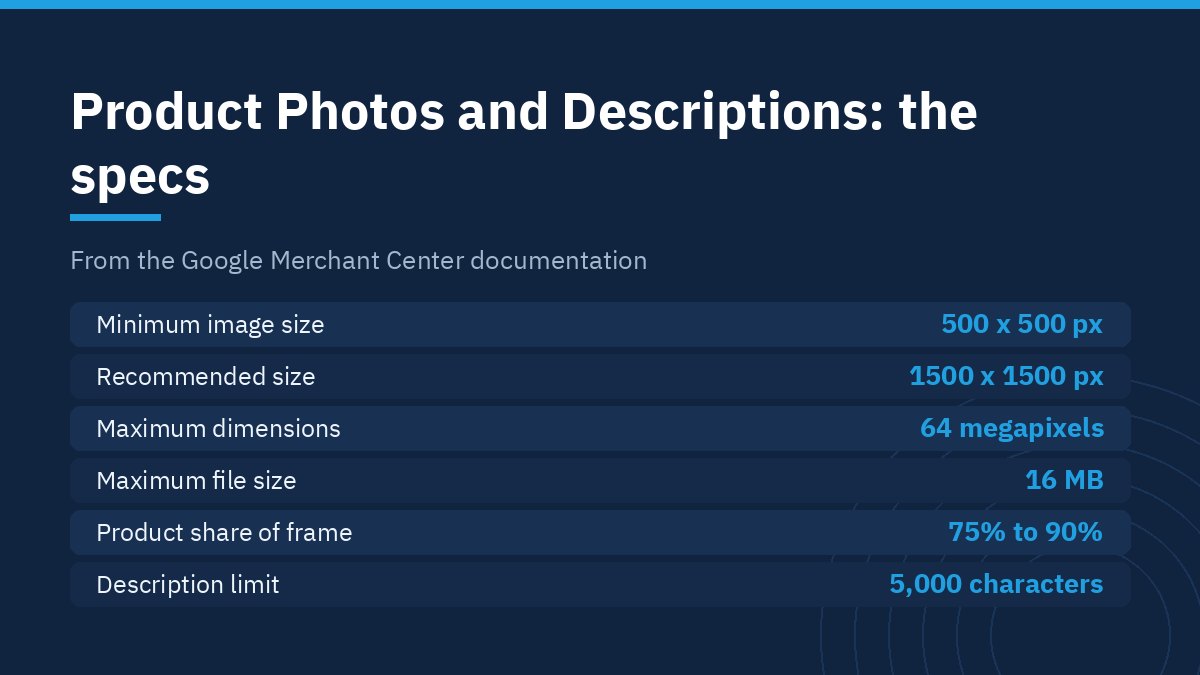
Google Merchant Center documentation sets a minimum of 500 x 500 pixels for all products and recommends 1500 x 1500 pixels or above for best performance. The ceilings are 64 megapixels per image and 16 MB per file.
| Item | Official Google specification |
|---|---|
| Minimum size | 500 x 500 pixels |
| Recommended size | 1500 x 1500 pixels or above |
| Maximum dimensions | 64 megapixels |
| Maximum file size | 16 MB |
| Accepted formats | JPEG, WebP, PNG, GIF, BMP and TIFF |
| Product share of the frame | No less than 75%, no more than 90% |
That last line is the one most stores miss. The product should fill between three quarters and nine tenths of the frame. Smaller and the detail disappears on a phone screen. Larger and the edges get cropped in square previews.
What is banned in product photos and descriptions?
The official rules prohibit several things that Arab market stores do routinely without realising it costs them visibility:
- Any promotional overlay, such as a discount flash or a best seller badge, or anything covering the product.
- Watermarks, brand names and logos, unless the logo is an inherent part of the product itself.
- Borders around the image.
These are not Google’s rules alone. The social commerce platforms that pull your feed apply similar conditions, so one non-compliant image can stall a product across several channels at once.
How many images does one product need?
There is no binding official number, but the product structured data pattern Google documents shows a single item supplied in three different aspect ratios: 1×1, 4×3 and 16×9. The practical logic is that display surfaces crop differently, so the more ratios you supply, the less likely something important gets cut off.
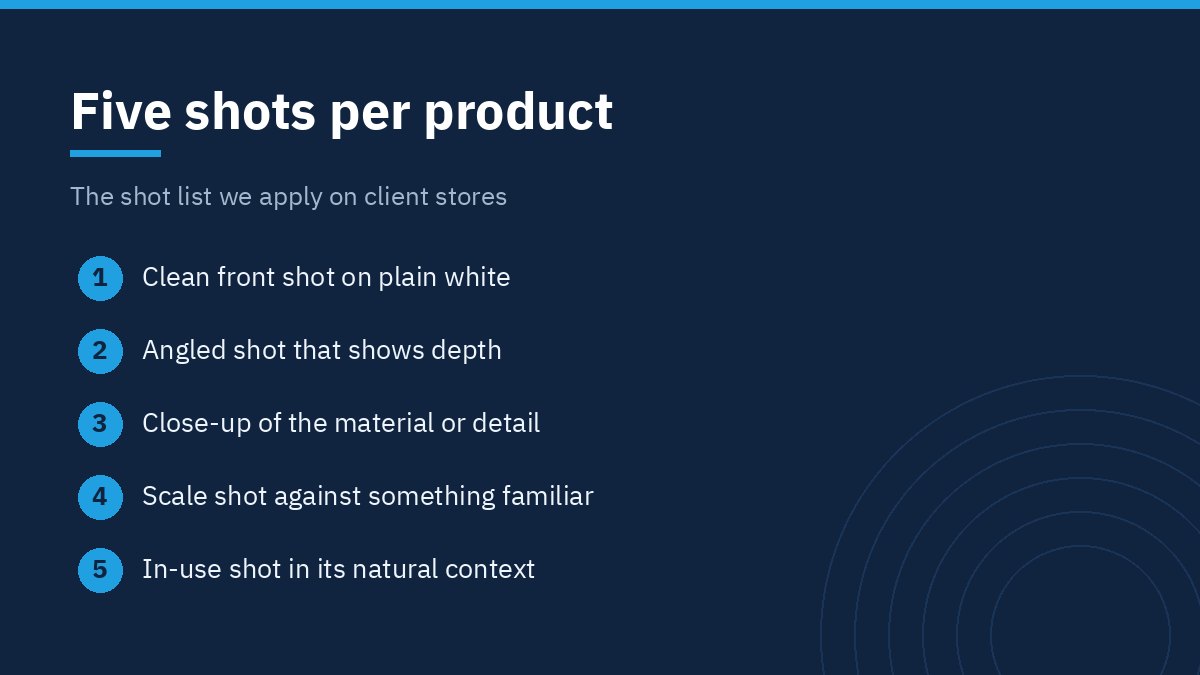
The shot list we apply to product photos and descriptions on client stores starts at five images per product:
- A clean front shot on plain white, which is what goes to the feed.
- An angled shot that shows depth.
- A close-up of the material or the detail buyers ask about.
- A scale shot against something familiar.
- An in-use shot in its natural context.
How do you write the description?
The Merchant Center description field accepts 1 to 5,000 characters, but length is not the goal. The documentation explicitly bans, inside the description: links to your store or other sites, promotional text such as price, sale price, sale dates, shipping, delivery dates or your company name, comparisons with other products, business history and policies, and capital letters used for emphasis.
What survives those exclusions is exactly what the buyer wanted: what the product is, what it is made of, its dimensions, what is included, and how to use and care for it. Write it the way a shop assistant answers a question, not the way an advert shouts.
Titles have their own rule. The limit is 1 to 150 characters, Google recommends using all of them, and it warns that users usually notice only the first 70 characters or fewer. Put brand, product name and size at the front and the secondary details after.
How do product photos and descriptions affect search visibility?
Google’s image documentation states that it uses alt text together with computer vision and the contents of the page to understand the subject matter of an image. It also asks for descriptive filenames, giving the example that my-new-black-kitten.jpg is better than IMG00023.JPG.
In practice that comes down to three habits on every upload:
- A descriptive, hyphenated filename rather than whatever the camera produced.
- Alt text that describes the image in a natural sentence, with no keyword stuffing.
- Placing the image near the text that discusses it, because page content influences how the image is understood.
The formats Google supports in image search are BMP, GIF, JPEG, PNG, WebP, SVG and AVIF. For responsive delivery the documentation recommends srcset or the picture element, while keeping a src attribute because some browsers and crawlers do not understand the newer attributes.
How do you balance image quality against page speed?
Google’s own guidance says images are often the largest contributor to overall page size, which is what makes pages slow. A store with a hundred products and five shots each is carrying five hundred images, and any sloppiness in compression multiplies by the same factor.
The rule we work to: shoot at the highest quality you can, keep the master file, then generate the delivered versions in a modern format at several sizes. The high resolution master stays with you for print and re-cropping, and the delivered copy stays light. The compression side is covered in detail in our guide to image compression without losing quality.
What goes wrong most often?
The recurring faults we find in product photos and descriptions when auditing an existing catalogue:
- Images lifted from the supplier’s site at mixed sizes and backgrounds, which makes the category page look disorganised.
- Descriptions copied word for word from the supplier and repeated across dozens of products, which search engines read as duplicate content.
- Dimensions written only inside the image and never in the text, so neither search nor a screen reader can find them.
- A single photo per product with no alternative angles, followed by a rise in returns because the buyer misread what they were getting.
The second one is the expensive fault. A copied description means your page is identical to hundreds of others selling the same item, and nothing is left to make a search engine pick yours.
How do you turn product photos and descriptions into a system?
Stores that get this right treat it as a production line rather than a recurring chore. Write an internal specification that fixes the background, the lighting, the five shot angles, the export size, the filename pattern and the description template with its fixed fields. Then hand that file to any new photographer or copywriter instead of explaining it verbally every time.
Build time is the cheapest moment to set this up, because it shapes the field structure in the database. Our breakdown of what an online store costs to build shows where this line item sits, and how to choose an ecommerce development company covers what to ask a developer about media handling.
What should you do this week?
Take your ten best selling products and apply the full product photos and descriptions standard to them: five shots each, no smaller than 1500 pixels, the product filling between 75% and 90% of the frame, a freshly written description with no promotional text, and a filename and alt text on every image. Measure after a month. If those ten improve, you have a clear case for funding the rest of the catalogue.
The complete image specification is published in the official Google Merchant Center documentation, and it is worth reading directly because it is updated from time to time.
Frequently asked questions about product photos and descriptions
What is the best size for a product image?
Google Merchant Center documentation sets a minimum of 500 x 500 pixels and recommends 1500 x 1500 pixels or above. Keep the product filling between 75% and 90% of the frame, and store a higher resolution master so you can re-crop later without a reshoot.
Can I put my store logo on a product image?
Not in the product feed. The official rules prohibit watermarks, logos and brand names on the image unless the logo is an inherent part of the product itself. Promotional overlays such as a discount flash and borders around the image are prohibited as well.
How long should a product description be?
The Merchant Center description field accepts up to 5,000 characters, but length is not the measure. Write what answers the buyer’s questions: material, dimensions, contents and how to use it. Avoid links, promotional text and comparisons with other products, all of which are banned in that field.
Should I copy the description from my supplier?
It is a bad idea. A copied description makes your page identical to hundreds of others selling the same item, so nothing remains to make a search engine choose yours. Use the supplier’s technical data as a source, then rewrite the description in your own words for your own buyer.
What makes good alt text for a product image?
A short sentence describing what the image actually shows, written naturally with no keyword stuffing. Google’s documentation says alt text is used together with computer vision and the page content to understand the image subject, so accuracy serves both search and screen reader users.
Need help preparing your catalogue?
Arqam Web is a web design and development company that builds online stores and sets up the structure behind product photos and descriptions from the start. If you have a catalogue that needs sorting out, or a new store about to launch, see our pricing page or request a quote.