

To speed up WordPress you diagnose before you install anything: find out whether the delay sits in the hosting, the theme, the images or the sheer number of plugins, then fix the largest source on its own and measure again. An optimisation plugin dropped onto a sick site hides the problem instead of solving it.
What actually makes WordPress slow?
WordPress builds the page on every visit. It queries the database, runs the theme, runs every active plugin, then sends the result to the browser. Each link in that chain adds time, and one slow link holds up the whole page.
That is why fixing a slow WordPress site differs from fixing a static one. The delay is rarely in a single place, but it is always ranked: one source eats most of the time and the rest share what is left. Finding that source is the real work of any effort to speed up WordPress.
Where do you start when you speed up WordPress?
Start with two numbers: server response time to the first byte, and total page weight in megabytes. The first points at hosting and code, the second at images, fonts and scripts. If server response is high, compressing images changes nothing measurable. If the page weighs several megabytes, upgrading hosting is money on the wrong layer.
Test the page that matters commercially, not only the home page, and test it on a phone over mobile data. Plenty of sites load fast on the home page and crawl on the service page that brings the enquiries.
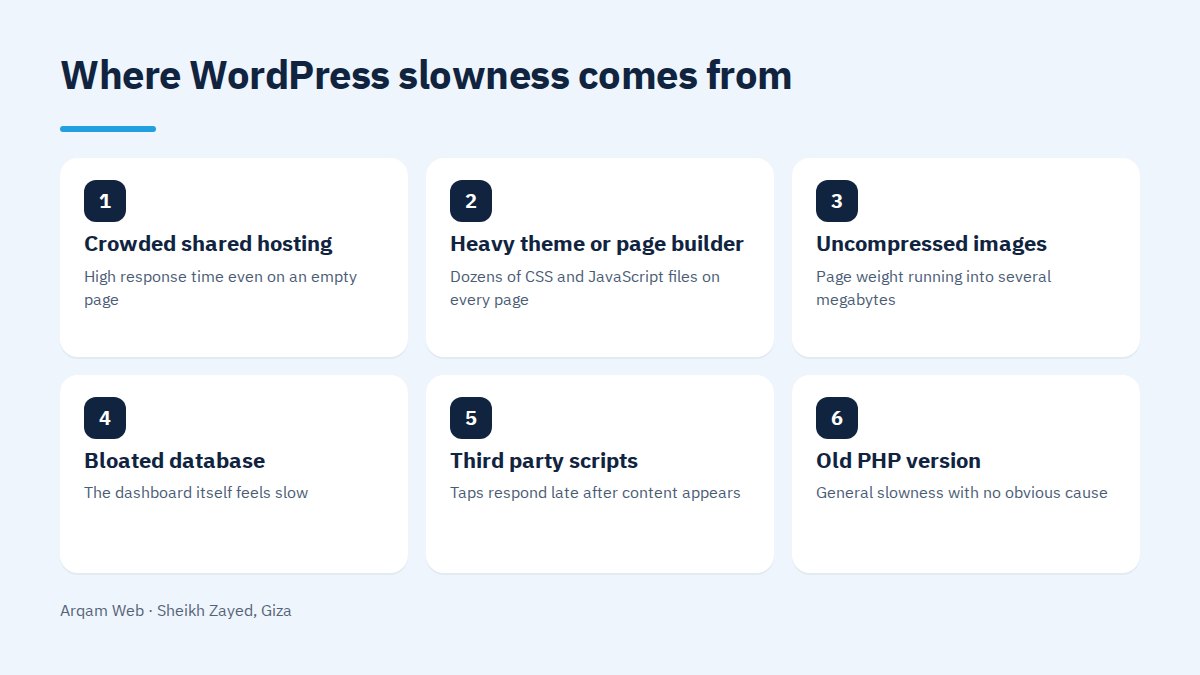
Sources of delay and the sign that gives each away
| Source of delay | The sign you see | What to do |
|---|---|---|
| Crowded shared hosting | High response time even on an empty page | Upgrade the plan or move to a host with server level caching |
| Heavy theme or page builder | Dozens of CSS and JavaScript files on every page | Simplify nested sections, or replace the theme in a rebuild |
| Uncompressed images | Page weight running into several megabytes | Compress, convert to WebP, set dimensions, defer below the fold |
| Bloated database | The dashboard itself feels slow | Clear old revisions and orphaned tables, add object caching |
| Third party scripts | Taps respond late after content appears | Defer analytics and chat until after content renders |
| Old PHP version | General slowness with no obvious cause | Upgrade to a supported PHP release after a backup |
Is the theme or page builder the real problem?
In about half the sites we audit, the theme is a large part of it. Multipurpose themes carry features the owner never uses, and page builders wrap every simple section in several layers of nested markup. The result is a page that needs a lot of code to display very little.
That does not make page builders wrong. The difference between a fast site and a heavy one on the same builder is discipline: fewer sections, simpler elements, images at their correct size, fewer helper add ons. But when the theme loads dozens of files on every request, tuning has a low ceiling.
The order in which to speed up WordPress
This order buys the most improvement at the least risk to a live site:
- Take a backup before touching caching or plugins.
- Turn on page caching at server level where the host supports it, otherwise with one trusted caching plugin and no more.
- Compress the images, convert them to a modern format, set their dimensions, and defer anything below the first screen.
- Remove surplus plugins by deleting them, not deactivating them, because a deactivated plugin keeps its files.
- Upgrade PHP to a supported release and watch the site for a day afterwards.
- Cut fonts to two weights and serve them from your own server rather than an external request.
- Clean the database of old revisions and tables left by plugins you deleted.
- Defer third party scripts until after the content has rendered.
Do one step at a time and re-measure. Eight changes in one sitting makes it impossible to tell which helped and which broke the layout.
What hosting does that no plugin can
Some parts of an effort to speed up WordPress sit below WordPress itself, where no plugin can reach:
- Server response time. A crowded plan means a fixed delay before WordPress even starts working.
- Object caching. This needs a service on the server such as Redis, and a plugin alone does nothing without it.
- Where the server sits. A server far from your audience in Egypt or the Gulf adds time to every request.
- PHP version and resource limits for memory and execution time.
- A content delivery network to bring images and static files closer to the visitor.
What changes when the site is a WooCommerce store?
A store cannot be fully cached. The cart, the checkout and the account page differ for every visitor, so they cannot be stored and served as flat pages. The job to speed up WordPress on a store therefore moves to the database and its queries rather than caching alone.
Three decisions matter most on stores: cutting the plugins that run on every request, such as tracking and discount tools; enabling object caching so repeated queries stop hitting the database; and showing fewer products per page with real pagination instead of hundreds at once. If you are choosing between a store and a brochure site, read types of websites first.
When is a rebuild cheaper than more tuning?
When the ceiling on tuning sits below what you need. If the page stays heavy after compressed images, working caching and deleted plugins, and the theme loads code you never use, further tuning buys tenths of a second at a rising price.
Our working rule: once the cost to speed up WordPress on the current site approaches half the cost of a cleaner build that is also easier to manage, the new build is the better two year decision. Read how to benefit from your site and the web design and development page, with our ranges on the pricing page.
Frequently asked questions
How long does it take to speed up WordPress?
Most of the gain usually lands within a few days: page caching, compressed images, surplus plugins removed and PHP upgraded. Replacing a heavy theme, migrating hosting or rebuilding a product template is a longer project, decided after measurement rather than promised before it.
Are optimisation plugins enough on their own?
They solve a real part of the work: caching, deferring files and combining them. They cannot touch what sits underneath, such as slow hosting, a theme loading dozens of files, or a bloated database. Installing two of them together often conflicts and leaves the site slower.
What counts as an acceptable load time?
The practical standard is that main content appears within two and a half seconds on an average mobile network, with quick response to taps and no shifting during load. Those are Google’s published page experience thresholds, and they are realistic for a company site or a store.
Does speed affect Google rankings?
Yes, though it is not the strongest factor. Content quality and matching search intent come first. Speed shows its weight when two pages are close in content, and when slowness pushes visitors away before they read, because search engines read that behaviour.
Do image sizes really make that much difference?
On WordPress sites it is often the single biggest factor. One photo uploaded straight from a camera can weigh more than everything else on the page combined. Compressing it, converting the format and serving it at screen size changes the number within minutes.
Ask for a reading of your site speed
Send us your site address and you will get a diagnosis of your largest source of delay, with an ordered list of what it would take to speed up WordPress in your case, at no obligation.
The official thresholds are documented in Google’s page experience guide.
Request a quote · Message us on WhatsApp · Call us
Arqam Web
44 Central Axis, Al Saraya Mall, Lower Ground, Entrance 2, Sheikh Zayed, Giza, Egypt
Phone and WhatsApp: +20 111 872 1404 · Email: info@arqamweb.com