

A Google Search Console setup takes three steps: prove ownership of the site by one reliable method, submit the sitemap, then read the indexing report to see which pages actually reached Google and which did not. Everything after that is routine checking rather than setup, and the three steps fit inside half an hour.
What does Search Console tell you that a traffic report does not?
Analytics tools describe what a visitor did after arriving. Search Console describes what happened before: which query showed your page, at what position, how often it appeared without a single click, and which pages never entered the index at all.
That difference has practical weight. A page with thousands of impressions and a low click rate does not need new content. It needs a better title and description. A page that was never indexed needs neither, because the first question there is why Google left it out. Neither question can be answered without a Google Search Console setup.
How do you complete a Google Search Console setup?
- Sign in with an account the company owns, not a staff member’s personal one, because ownership has to survive a change of team.
- Add the site as a domain property if you have access to the domain settings. That option gathers every version of the site in one place.
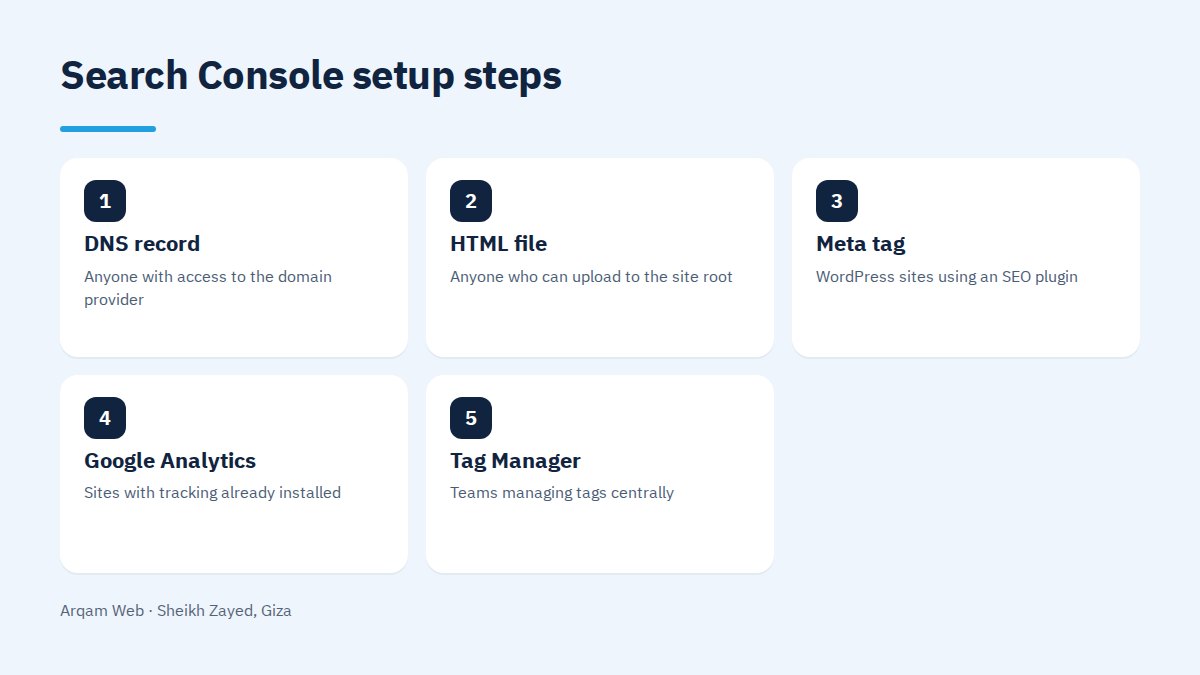
- Prove ownership with whichever of the methods in the table below fits your access.
- Submit the XML sitemap in the Sitemaps section and confirm it is read without errors.
- Open the pages report and compare the number of indexed pages against the number of pages you actually have.
- Add the rest of the team with read access rather than owner access, and write down who holds the account.
Google’s own walkthrough sits in its guide to getting started with Search Console.
Which verification method should you pick?
| Method | Suits | Note |
|---|---|---|
| DNS record | Anyone with access to the domain provider | The only route to a full domain property |
| HTML file | Anyone who can upload to the site root | Verification breaks if the file is lost in a migration |
| Meta tag | WordPress sites using an SEO plugin | Tied to the plugin, so deactivating it removes verification |
| Google Analytics | Sites with tracking already installed | Needs edit permission on the analytics account |
| Tag Manager | Teams managing tags centrally | Best for larger sites with more than one team |
In practice, a Google Search Console setup should carry two verification methods. If one of them lapses you keep the historical data instead of starting again.
Domain property or URL prefix?
A domain property gathers every version of the site: the www prefix and the bare one, secure and insecure, and any subdomain. A URL prefix property separates each version, so data arrives split and the totals can look smaller than they are.
That choice is made in the first minute of a Google Search Console setup and is awkward to change months later. The useful rule is to choose the domain property whenever you can reach the DNS settings. A URL prefix earns its place when you want one section tracked on its own, such as the blog folder or the English version of the site.
What finishes the Google Search Console setup after verification?
Verification on its own gives you a nearly empty screen. Three things make the account useful in the first week: a correct sitemap submitted, the account connected to the tools your team already uses, and a first read of the pages report.
A sitemap is not administrative paperwork. Google treats it as a suggested list rather than an instruction, but it speeds up discovery of new pages and exposes a useful contradiction: a page listed in the sitemap and still not indexed means Google saw it and chose to leave it out, which is worth investigating. If no sitemap exists yet, website components covers where it belongs.
Which reports matter in the first month?
- Performance. The queries you actually appear for, most of which are not the ones you expected. Sort by impressions rather than clicks.
- Page indexing. Indexed against excluded, and the stated reason for each group of exclusions.
- Page experience. Core Web Vitals read from real visitors across the whole site.
- Links. Who points at your site, and which of your pages collects the most references.
- Manual actions. The first screen to open if traffic drops sharply and without warning.
Common Google Search Console setup mistakes
The most frequent one is registering the account under a person rather than the company, so the account leaves when the employee does. The second is adding only one prefix of the site, which quietly loses the data for every other version.
The third is requesting indexing for the same page again and again instead of reading why it was excluded. The button does not change Google’s decision, and one honest look at the exclusion reason is worth ten requests. Our page on web design mistakes covers the build decisions behind some of those exclusions.
How often should you open the account?
A Google Search Console setup does not create a daily chore. A monthly review is enough for a settled site, and a weekly one for the first few months after a launch or a domain migration. Open it immediately in three cases: a sharp drop in traffic, any large change to the URL structure, and an alert from Google arriving at the registered email.
Read how to benefit from your site for turning these numbers into decisions, and the web design and development page for what we handle on this front.
Frequently asked questions
Is Google Search Console setup free?
Yes, the tool costs nothing and needs no card or paid plan. All it requires is a Google account and access to either the site or the domain. The one limit is that historical data starts on the day you verify, so delaying the setup means losing months of measurement for no reason at all.
When does data appear after verification?
The performance report usually begins to fill within two or three days, while the indexing report can take longer before it settles on numbers worth acting on. A new account on a new site stays close to empty until Google crawls the pages and decides to index them, which is normal rather than a fault in the setup.
Does submitting a sitemap guarantee indexing?
No. The sitemap is a suggested list that helps Google discover pages faster, but the indexing decision rests on page quality, overlap with other pages and internal link structure. A page in the sitemap that stays unindexed needs its content reviewed rather than the sitemap submitted a second time.
Do I need one account per language?
You do not need a separate account, because a domain property already covers every language in one place. Adding a URL prefix property for each language folder alongside it is still useful when you want the Arabic and English versions tracked separately inside the performance report and compared over time.
Does Search Console replace paid SEO tools?
It replaces part of them and not the rest. Impression, position and indexing data come from Google itself, so no other tool is more accurate on those. Competitor analysis, wider keyword research and daily rank tracking still need extra tools, but the free account remains the correct starting point.
We will review your account with you
Send your site address and you will get a note on whether the account is set up correctly and what its numbers are saying now, with no obligation.
Request a quote · Message us on WhatsApp · Call us
Arqam Web
44 Central Axis, Al Saraya Mall, Lower Ground, Entrance 2, Sheikh Zayed, Giza, Egypt
Phone and WhatsApp: +20 111 872 1404 · Email: info@arqamweb.com