
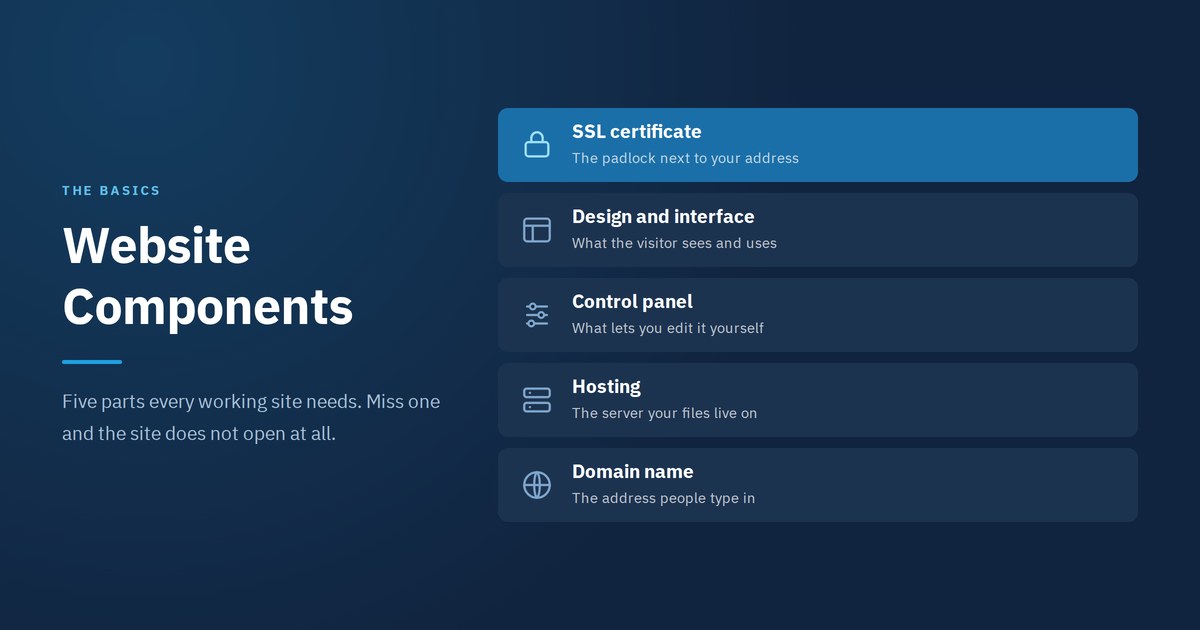
Website components come down to five parts, and without any one of them the site does not open at all. Most people ordering a site for the first time assume it is all design, then meet line items in a quote they cannot place: domain, hosting, SSL certificate, control panel.
This is written for people with no technical background. You will get the website components one by one, what each does, who is responsible for it, and when it needs renewing. At the end there is a table you can hold next to any quote you receive. Arqam Web has built company websites for fourteen years, and this is where misunderstandings between client and supplier start more often than anywhere else.
The five core website components
1. The domain name
First of the website components in order. The address people type to reach you, like arqamweb.com. The closest comparison is a mobile number: unique, and yours as long as you keep paying for it.
It is rented by the year and needs renewing before it lapses. Let it expire unnoticed and anyone can register it, after which getting it back is slow and expensive. The rule that matters most: the domain must be registered in your name or your company’s, not in the name of whoever built the site. Make that the first question in any quote.
2. Hosting
The heaviest of the website components in day to day cost. Space on a server running around the clock, holding your files and database. Without it the site is just files on your laptop that nobody can see.
Hosting speed sets your site speed no matter how good the design is. Very cheap hosting is usually shared between hundreds of sites on one server, and it buckles under the first burst of traffic. Ask where the server sits geographically: if most of your audience is in Egypt and the Gulf, a nearby server makes a difference you can feel.
3. Design and interface
The pages a visitor sees and how they move through them. It splits into the front the visitor uses and an admin view your team uses.
Of all the website components this is the one clients judge first. Good design is built for the phone first because that is where most visits come from, then expands to larger screens. If the site only works properly on a desktop, you are losing most of your visitors. We covered the differences between types of websites and which suits which business in a separate guide.
4. The control panel
The one of the website components you touch most. Where you add and edit content without going back to a developer. Change a line, upload an image, publish an article, add a product.
Having one is the practical difference between a site you run yourself and a site where every edit costs money. Ask to be walked through it before the project is handed over, and never accept a handover without login details in your own name.
5. The SSL certificate
Last on the list and the one most often forgotten. It is what makes your address start with https and shows a padlock beside it. It encrypts data between visitor and site, and without it the browser puts a plain warning in front of people before they reach you.
It stopped being optional, and it is now a fixed part of the website components in any serious quote. Google treats it as a ranking signal, and any contact form or payment page without it loses trust on sight. Most hosting companies include it free now, so do not pay separately unless your project needs a specific type.
Components that became essential by 2026
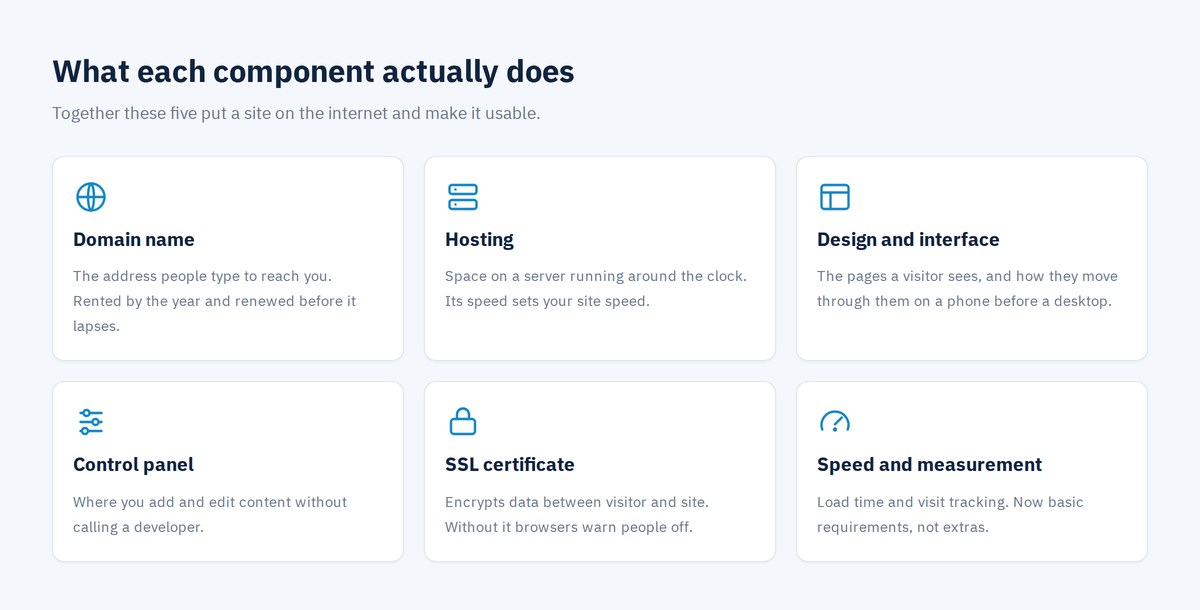
The list of website components has grown in recent years. These used to count as extras and are now conditions for any site that expects to be read and ranked.
Load speed and page experience signals. Google measures how fast the largest element appears, how much the layout shifts while loading, and how quickly the page answers a first tap. Uncompressed images and surplus plugins are the leading cause of these scores falling apart.
Structured data. Hidden code that tells search engines what kind of page this is: an article, a product, a question, a local business. It is what turns your result into one with review stars or expandable questions instead of a plain line of text.
Measurement tools. A site with no visit tracking means working blindfolded. You need the number of visits, where they came from, and which page actually converts. This item gets skipped in most projects, and it is the first thing we ask about when a client says their site brings nothing in.
Automatic backups. The quietest of the website components, and the one nobody thinks about until it is needed. A daily or weekly copy kept off the server. It costs very little, and its absence means one mistake or one breach can erase years of work.
Legal pages. A privacy policy and terms of use. Required if you collect data or sell online, and they affect whether ad platforms accept your site at all.
Quick table: each component and who owns it
Here are the website components in one row each. Keep it beside any quote you read, and ask about any line item that is not on the list.
| Component | What it does | Renewal | Must be in your name |
|---|---|---|---|
| Domain name | The site’s address | Yearly | Yes, essential |
| Hosting | Where files and database live | Yearly or monthly | Yes |
| Design and interface | What the visitor sees and uses | Refresh every two to three years | Source files are yours |
| Control panel | Content management without a developer | Regular security updates | Logins are yours |
| SSL certificate | Encryption and browser trust | Yearly, usually automatic | Comes with hosting |
| Backups | Recovery after any failure | Daily or weekly | Keep a copy yourself |
Static site or a site with a control panel?
This question decides the shape of your website components, specifically whether there is a control panel at all. A static site is pages whose content only changes by editing code. Cheaper at the start, but every small edit needs a developer, so the cost comes back doubled over a year or two.
A site with a control panel lets you add and edit yourself, and it absorbs a blog, products, forms and new sections without a rebuild. For most companies it is the practical choice, and the gap in initial cost pays for itself within the first three or four edits.
The real exception is a single page for a temporary ad campaign, or a site whose content will not change for years. Otherwise, no control panel is a constraint rather than a saving. There is more on what to do once the site is live in how to benefit from your website, and on what makes one site outperform a competitor with identical parts in how to distinguish your site. For the source itself, Google’s page experience documentation lists the signals actually measured.
Want to know exactly what your project needs?
Message us on WhatsApp ·
info@arqamweb.com ·
+20 111 872 1404 ·
Request a quote
Frequently asked questions about website components
What are the core website components?
The core website components are five: the domain, which is the address; hosting, which is the space on a server; the design and interface, which is what the visitor sees; the control panel, where you manage content; and the SSL certificate, which encrypts data. Missing any one of them means the site does not work or does not open at all.
Are the domain and hosting the same thing?
No. The domain is the name a visitor types, and hosting is the space where your files live. You can buy both from one company or from two different ones. It is better for the domain to be registered in your own name even when hosting sits with someone else.
Whose name should the domain be in?
Yours or your company’s, never the name of whoever built the site. If it is registered to the builder and a dispute or a loss of contact happens, recovering the domain becomes a long, expensive process that can fail outright. Ask for the domain account logins as part of the handover.
Does a simple brochure site need an SSL certificate?
Yes. Browsers show a clear warning on any site without one, even a purely informational site, and Google treats it as a ranking signal. Most hosting companies now include it at no extra cost, so there is no practical reason to go without.
What is the difference between a control panel and a CMS?
A content management system is the software that runs the site’s content, and the control panel is the screen you work in inside that system. In practice quotes use the two terms interchangeably, and the useful question is what permissions you get inside it rather than what it is called.
Contact Arqam Web
Arqam Web is a web design and development company in Sheikh Zayed, working for fourteen years across website design, search engine optimisation and brand identity. If you are holding a quote with line items you cannot place among the website components, send it over and we will tell you which component each one covers and whether the price is reasonable, with no obligation. You can see our work across our projects.
- Address: 44 Al Mehwar Al Markazy, Al Saraya Mall, Sheikh Zayed, Giza, Egypt
- Phone and WhatsApp: +20 111 872 1404
- Email: info@arqamweb.com
- Hours: Sunday to Thursday, 10:00 to 19:00 Cairo time
Start with a quote request or contact us, and you will hear back within one working day.