

A robots.txt file is a small text file at the root of your site telling crawlers which paths they may request and which they may not. It is guidance, not a lock. Well behaved crawlers obey it and hostile ones ignore it, and one wrong line can hide an entire site from search.
What a robots.txt file actually tells a crawler
A crawler asks for this file before it asks for any page on your site. It reads lines naming which robot is being addressed, then which paths are closed and which are open. Anything not closed is open, so permission is the default state and blocking is the exception you write down.
The file is also public. Anyone who types your domain followed by /robots.txt can read it, which means sensitive paths do not belong in it. Blocking a folder called old admin panel advertises that the folder exists to the one person who was looking for it.
Blocking crawling is not blocking indexing
This single confusion causes most of the trouble we are called about. Blocking crawling says: do not request this path. Blocking indexing says: request the page, read it, then keep it out of results. The first belongs in the robots.txt file and the second belongs in a tag inside the page.
The consequence surprises people. A page you block from crawling can still appear in results, showing its title and address with no description, because Google learned the address from a link elsewhere and was never allowed to read the page and find your instruction. To keep a page out of search, allow the crawl and put a noindex tag on the page.
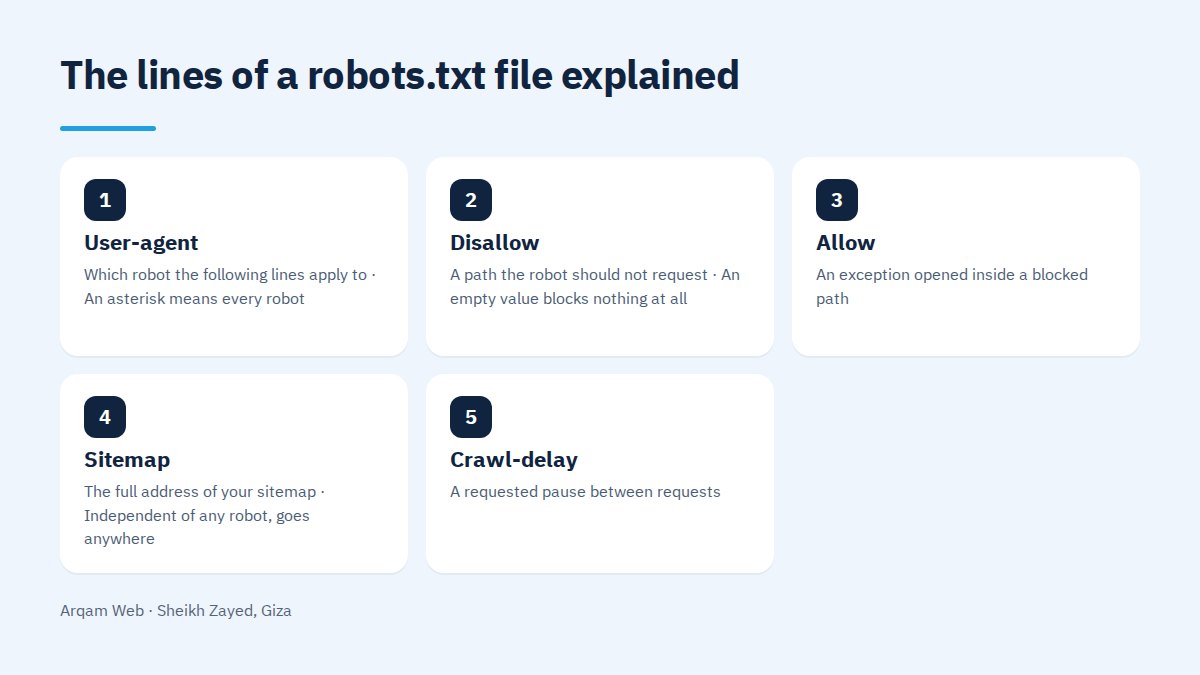
Every line of a robots.txt file in one table
| Line | What it means | Worth knowing |
|---|---|---|
| User-agent | Which robot the following lines apply to | An asterisk means every robot |
| Disallow | A path the robot should not request | An empty value blocks nothing at all |
| Allow | An exception opened inside a blocked path | Useful for one file in a closed folder |
| Sitemap | The full address of your sitemap | Independent of any robot, goes anywhere |
| Crawl-delay | A requested pause between requests | Google ignores it, some engines honour it |
Matching starts at the first character, so Disallow: /cart closes every path beginning with those letters. A $ pins the end of the pattern and a * stands for any run of characters in the middle.
How do you read the file your site already serves?
A robots.txt file is read straight from the browser. Open your domain followed by /robots.txt and you see exactly what a crawler sees. Look first for Disallow: / on its own, which closes the whole site and is the best known way to stay invisible for months after launch. Then check there is a Sitemap line pointing at an address that actually loads.
What is worth blocking?
- Internal search results, because they generate an unlimited supply of near identical addresses.
- Cart, checkout and account pages, which serve nobody arriving from a search.
- Sort and filter links that produce many versions of the same product listing.
- Internal technical files with nothing a reader would want and nothing a crawler can use.
On the Digger Hub project, a place for children that parents pay for, a shop of 120 products in eight categories with cart, checkout and accounts was built into the existing site. Those functional pages are the first candidates for blocking in any shop’s robots.txt file: a buyer needs them and a searcher never does.
What should never be blocked?
- CSS and JavaScript files. Google renders the page before judging it, and blocking these leaves it looking at a broken layout.
- Images used in your content, since blocking them removes them from image search and weakens the page.
- A page you want out of results, where blocking achieves the opposite of what you intended.
- The whole uploads folder, a rule copied between sites for years by people who never tested its effect.
- The sitemap itself, because blocking it disables the report that would tell you how indexing is going.
How do you edit a robots.txt file and test it?
- Save a copy of the current text before touching anything, because reverting is faster than diagnosing.
- Change one line at a time. Five edits at once leaves you unable to say which one caused the result.
- Test specific addresses in Search Console with the URL inspection tool, which states plainly whether an address is blocked.
- Open the file in a private window to confirm that what went live is what you wrote, not a cached copy.
- Watch the indexing report for a fortnight. A sudden rise in excluded pages means the block was wider than you meant.
WordPress: the virtual file and the real one
WordPress serves a default file that does not exist on the server. You can read it in a browser but you will not find it in the site folder, because its contents come from the code and from your SEO plugin if one is installed. That is why editing it in a plugin screen sometimes changes nothing at all.
The rule is simple: a real robots.txt file in the site folder wins over any generated one. Work out which version you are being served first, then make the change in the place that is actually in charge.
Frequently asked questions
Is the file required on every site?
No. The absence of a robots.txt file means everything is open to crawling, which is perfectly acceptable on a small brochure site. Having one still helps, for two reasons: a line pointing at your sitemap, and lines closing functional pages that make poor search results, such as a thank you page after a form.
Does the file stop visitors opening the page?
No, and it has nothing to do with permissions. A page closed in the file still opens for anyone holding the address. If you need to prevent access you need a password or a server level restriction. This file talks to polite crawlers, not to browsers and not to people.
Do all crawlers obey it?
Crawlers belonging to the large search engines obey it, since they are named and accountable. Scrapers and automated copying tools frequently ignore it, and some read it to learn what you would rather hide. Real protection comes from server rules and a firewall, not from a text file asking politely.
How do I keep a PDF out of search results?
Blocking it here is not enough, because the address can still surface without a description. The correct method is an X-Robots-Tag header set to noindex at server level, since a PDF cannot carry an in page tag the way an HTML document can. This is general technical guidance, not legal advice about the document itself.
I blocked a page and it still appears. Why?
Because blocking stops reading, not indexing. Google learned the address elsewhere and was never allowed to read the page and find your instruction. Remove the blocking line, allow the crawl, add a noindex tag to the page, then request a recrawl and give it a week or more.
Have your file reviewed
Send your site address and we will read your robots.txt file line by line, then tell you what it closes by mistake and what it is missing. See also the web design and development page, website components and the pricing page.
The official specification and its matching rules are published in the Google robots.txt guide.
Request a quote · Message us on WhatsApp · Call us
Arqam Web
44 Central Axis, Al Saraya Mall, Lower Ground, Entrance 2, Sheikh Zayed, Giza, Egypt
Phone and WhatsApp: +20 111 872 1404 · Email: info@arqamweb.com