

Choosing a WordPress developer comes down to one question: do they edit theme files directly, or do they work in a child theme or a site specific plugin? The answer tells you whether you are buying a site that can be updated and extended, or one that breaks with the first theme update.
What separates someone who installs a theme from someone who builds?
Installing a theme is a narrow job. Install WordPress, pick a premium theme, import the demo content, swap the text and images. It finishes in days and photographs well.
Building is different. It starts with the content types your business actually needs, then a permalink structure that will not change after launch, custom fields that make adding a service a two minute task, code written where it belongs, and an admin your team can use unaided.
The gap does not show on handover day. It shows six months later, at the first major update or the first page that needs a layout the theme never had. Choosing a WordPress developer is really a choice of build method you will live with for years.
Five questions that reveal a developer’s level
- How do you handle WordPress, theme and plugin updates?
- What do you do when two plugins conflict and the site goes down?
- How do you move a site from staging to live?
- What is your backup plan, where are backups stored, and when did you last test a restore?
- Where do you write code: straight into the theme files, or in a child theme or a separate plugin?
Ask all five in one call and listen for detail. A developer who has lived through a broken update names a specific site and a specific night. One who has not gives you a calm sentence with nothing inside it.
How do you read the answers?
| Question | An answer that reassures | An answer that worries |
|---|---|---|
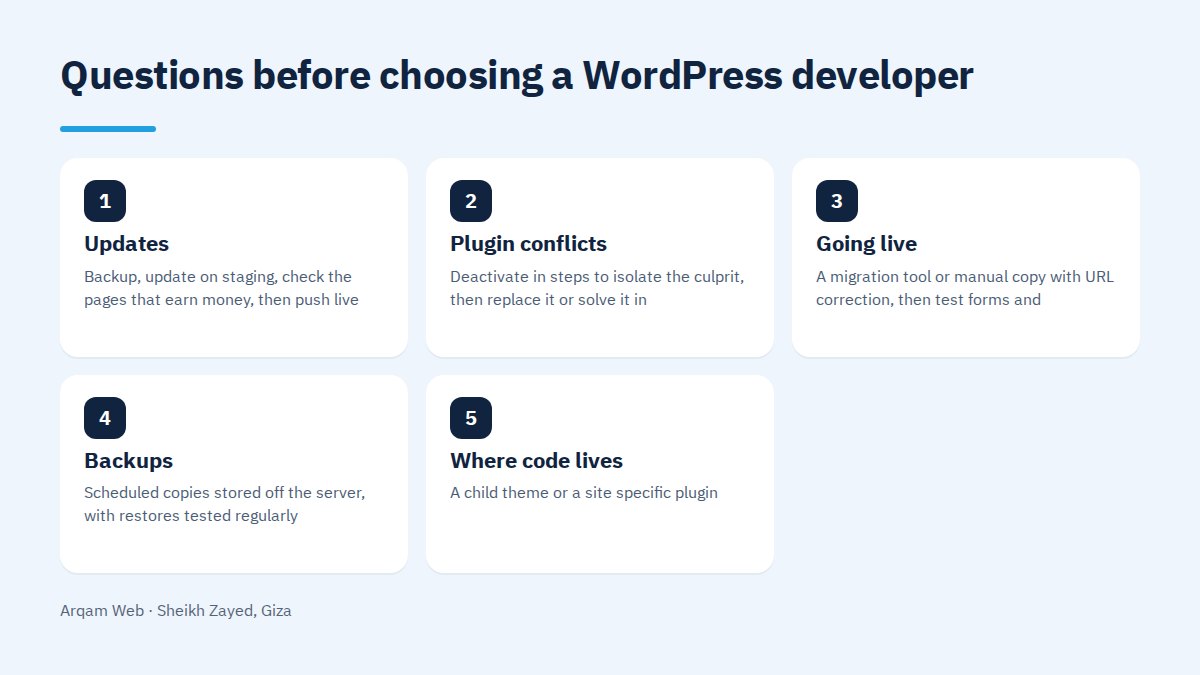
| Updates | Backup, update on staging, check the pages that earn money, then push live | “Updates are automatic and nothing ever breaks” |
| Plugin conflicts | Deactivate in steps to isolate the culprit, then replace it or solve it in code | “That does not happen to us” |
| Going live | A migration tool or manual copy with URL correction, then test forms and checkout | Uploading files straight onto the live site |
| Backups | Scheduled copies stored off the server, with restores tested regularly | “The host keeps a backup” |
| Where code lives | A child theme or a site specific plugin | Editing the parent theme or WordPress core files |
Notice the pattern: reassuring answers describe steps, worrying ones describe feelings.
Warning signs when choosing a WordPress developer
- Core file edits. Anything changed inside WordPress itself disappears at the next update and leaves a security hole behind.
- Pirated themes or plugins. Unlicensed copies get no security updates, and many carry code nobody asked for.
- Refusing to hand over credentials. The admin, hosting and domain are yours, and hesitation here means a lock in.
- No staging environment. Someone who edits the live site in front of visitors will take it down eventually.
- No change tracking. Without a record of what changed and when, finding the break is guesswork.
- Guaranteed search rankings. Nobody controls rankings, so promising them is promising what they do not own.
Freelancer or company: which fits your case?
A good freelancer decides faster and talks to you directly, which suits a brochure site with a clear scope. The weak point is availability: travel, illness or a bigger project leaves your site waiting.
A company gives you continuity, more than one person who knows the build, a written scope, and documentation that survives anyone leaving. The trade is a slower process and usually a higher cost.
The practical rule when choosing a WordPress developer: ask what a week of downtime would cost you. If the answer hurts, you need an organisation with internal cover rather than one person. Our website design and development page shows what a written scope looks like.
How do you verify the work before choosing a WordPress developer?
Ask for links to live sites, not screenshots or a PDF portfolio. Open three on your phone on mobile data, read a full service page, submit the contact form, and watch how long the page takes to appear.
Then ask about one WordPress site they have maintained for over a year. Long maintenance reveals build quality far better than a launch does. Our portfolio has sites you can open and test.
What belongs in the agreement?
- Explicit ownership of the domain, hosting, code and database in your name.
- A counted list of pages and templates, with out of scope work written down.
- All credentials handed over at launch.
- A maintenance agreement with a response time, what is included, and what gets billed.
- An update policy naming who performs updates and who tests them before they go live.
- Training so your team can add content without the developer.
Those six items settle most arguments that start after choosing a WordPress developer. Before that, read website components so you know what you are asking for, then the pricing page to understand what moves cost up and down.
How do you compare two offers at different prices?
Do not compare the final number. Compare what sits under it: how many templates, who writes the copy, who enters the data, whether technical SEO is included, and whether maintenance is separate. A large price gap is almost always a scope gap, and it resurfaces later as extras on a new invoice. Choosing a WordPress developer on the number alone postpones cost rather than reducing it.
Frequently asked questions
What matters most when choosing a WordPress developer?
Where the code lives. Someone who writes changes into a child theme or a site specific plugin leaves you a site that can be updated and extended. Someone who edits the parent theme or core files leaves you a site that loses its customisations at the first update. Ask that before you ask about price or timeline.
Is a premium theme always a bad choice?
No. A licensed theme from an active developer saves real time on a brochure site with a clear scope. The problem is not the theme itself. It is handing it over with demo content still in it, stacking plugins to cover what it cannot do, or editing its files directly instead of using a child theme.
How many plugins are acceptable on a WordPress site?
The count matters less than what each one does and how well it is written. One badly built plugin harms a site more than ten maintained ones from known developers. The working test is simple: every plugin serves a function you cannot drop, has recent updates, and does not duplicate another plugin already installed.
Do I need a developer if my site is simple?
If the content is small, the structure is obvious and you have time to learn, you can start alone. A developer becomes necessary with custom fields, integrations with outside systems, speed work, and fixing what breaks. Measure it plainly: the hours you will spend against what your own hour is worth.
What should I do if I want to change developer?
Take a full copy of the files and the database, confirm the domain and hosting are in your name, ask for a list of plugins and where their licences came from, and record any custom work and where it sits. A new developer needs those four to quote honestly instead of proposing a rebuild.
Send us your site link
Send your site link, or a description of what you want built, and you get a written reply covering the state of the build, where the code sits, and what needs fixing first. That turns choosing a WordPress developer into a decision based on an inspection rather than an impression from a call.
Request a quote · Message us on WhatsApp · Call us
Arqam Web
44 Central Axis, Al Saraya Mall, Lower Ground, Entrance 2, Sheikh Zayed, Giza, Egypt
Phone and WhatsApp: +20 111 872 1404 · Email: info@arqamweb.com