

The HSTS header is one line your server sends with every secure response. It tells the browser to open your domain over HTTPS only, for a period you set, so the next visit is corrected inside the browser before any request leaves the device and the insecure connection warning never appears.
What does the HSTS header actually do?
Its full name is Strict-Transport-Security. A browser that reads it once stores the rule for your domain and applies it to every later visit inside the stated window. Someone who types your address with no protocol, or clicks an old http link in an email, is moved to the encrypted version locally, with no request in the clear.
That is the difference from a plain redirect. A redirect runs on the server, so the unencrypted request has already crossed whatever network the visitor is on. The HSTS header removes that hop from the second visit onwards, which is where interception on open wifi happens.
Why is a redirect on its own not enough?
An SSL certificate and a 301 rule are both necessary, and they still leave gaps:
- Typed addresses. A visitor who writes your domain by hand sends plain http first and receives the redirect afterwards.
- Old material. Invoices, PDFs and email footers carry http links for years.
- Forgotten subdomains. A staging copy or an admin panel with no valid certificate stays a weak point in security and in trust.
All three close from the browser side once the instruction is cached, which is why banks and large stores treat it as standard.
Reading the HSTS header line by line
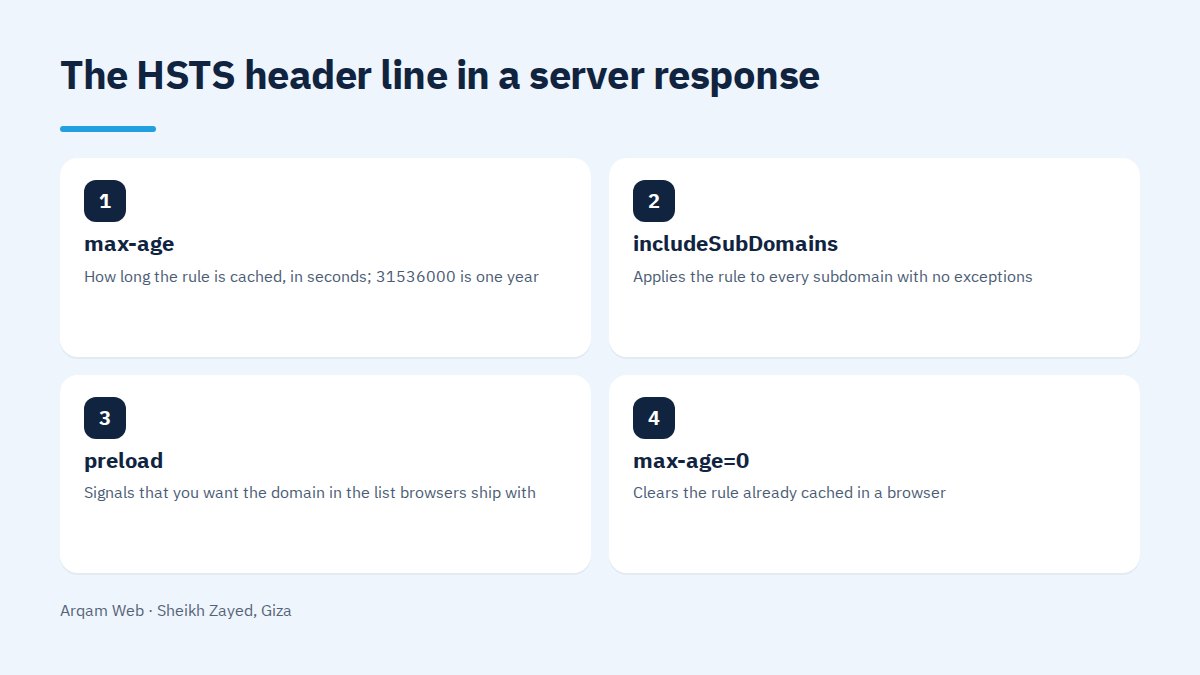
The common full line is Strict-Transport-Security: max-age=31536000; includeSubDomains; preload. Each part does one job:
| Directive | Job | What to know before you switch it on |
|---|---|---|
max-age |
How long the rule is cached, in seconds; 31536000 is one year | Required. Start low and raise it in stages |
includeSubDomains |
Applies the rule to every subdomain with no exceptions | Optional. Any subdomain without a valid certificate stops opening |
preload |
Signals that you want the domain in the list browsers ship with | Optional. Being listed needs a separate submission |
max-age=0 |
Clears the rule already cached in a browser | The only way back, and it applies per visitor on their next visit |
One detail catches people out: a browser ignores the HSTS header completely when it arrives over an insecure connection. Adding it to plain http responses, or to a host with a broken certificate, does nothing.
How do you roll out the HSTS header safely?
- Confirm the whole site is on HTTPS with no certificate errors, on the bare domain and on www.
- Inventory every subdomain: mail, admin, staging, a media host, anything in your DNS records. Each needs a valid certificate before
includeSubDomainsreaches production. - Publish the header with a short window first, such as
max-age=300, and watch the site for a full day, including on a mobile network. - Raise the window in steps: a week, then a month, then a year. Add
includeSubDomainsonly once the subdomain list is clean. - Fix mixed content. Any image, font or script requested over http inside an HTTPS page needs its URL corrected at the source.
- Test as a first time visitor in a browser profile that has never opened the site, since your own browser already holds the answer.
The order matters more than the speed. A one year window with subdomains included on day one means a small mistake lives in your visitors’ browsers for months, with no way to pull it back.
What tends to break on the first day?
The failure modes are few and predictable, and knowing them saves hours of guessing:
- An old subdomain with no certificate becomes unreachable rather than showing a warning the visitor can click past.
- An internal tool that only speaks http, such as a test server on a subdomain, stops answering.
- A third party integration calling an old http webhook fails quietly, with nothing in the logs.
The fix is the same in all three: a valid certificate for every name still in use, and deleted DNS records for the rest.
Should you join the preload list?
The list compiled into browsers closes the first visit too, because the browser knows your domain is HTTPS before it has seen it. The published requirements are a valid certificate, a redirect from http to https on the same host, HTTPS on all subdomains, and a max-age of at least one year together with includeSubDomains and preload.
The cost is the exit. Removal means a request, then a wait for new browser releases to reach people. Join after the site has run a year on HTTPS without incident, and stay out while any plan exists to move a subdomain to a service that cannot do TLS.
How do you verify the HSTS header is live?
Three checks are enough. Run curl -I https://example.com and look for the header name and its value in the response. Open the network tab in developer tools and read the response headers of the first document request. Then type the address with no protocol and watch the address bar: if the browser corrects it with no insecure request, the HSTS header is cached and working.
For the wider picture, see website components for where headers sit in a build, and web design mistakes, since leaving a site on http is among the oldest.
Common mistakes with the HSTS header
- Turning on
includeSubDomainsbefore the subdomain inventory, then discovering a client login has gone dark. - Setting the HSTS header in two places at once, the web server and the application, producing conflicting values.
- Treating it as a substitute for fixing mixed content, which it is not.
- Covering www but not the bare domain, or the reverse, so half your traffic is unprotected.
Frequently asked questions
Does the HSTS header slow a site down?
No, it removes work. Without it a browser sends an insecure request, receives a redirect, then sends the secure one. With it the secure request goes first, so a full round trip disappears. The gain is small, but it points in the right direction.
Do I need it on a brochure site with no payments?
Yes, because the protection is not only about payments. A contact form carries a name and a phone number, and an admin login carries a password. Browsers also mark unencrypted pages with a visible warning, which damages trust before anything technical matters.
How do I undo it if I have to go back to http?
Set the value to max-age=0 and deploy, and each browser drops the rule on its next visit. Anyone who does not visit keeps the old rule until their cached window expires, which is the whole argument for starting with a short window.
Is the switch in my hosting panel enough?
On most shared hosting it is, and panels such as cPanel expose the option directly in one click. Verify the result yourself with curl or developer tools afterwards, because some panels publish a short default window or skip subdomains without telling you.
Does it affect search rankings?
Not as a stated ranking factor, though encryption itself is a known one. The effect is indirect: a visible security warning pushes people straight back to the results page, and a visitor who trusts the page reads on and fills the form. That behaviour is what search engines can see.
Have your encryption setup reviewed
Send us your address and we will check the certificate, the redirects, the response headers and any mixed content, then send back an ordered list of what to change and why, to act on yourself or with us. See also the web design and development page and the pricing page.
The official requirements for the browser list are published on hstspreload.org.
Request a quote · Message us on WhatsApp · Call us
Arqam Web
44 Central Axis, Al Saraya Mall, Lower Ground, Entrance 2, Sheikh Zayed, Giza, Egypt
Phone and WhatsApp: +20 111 872 1404 · Email: info@arqamweb.com