

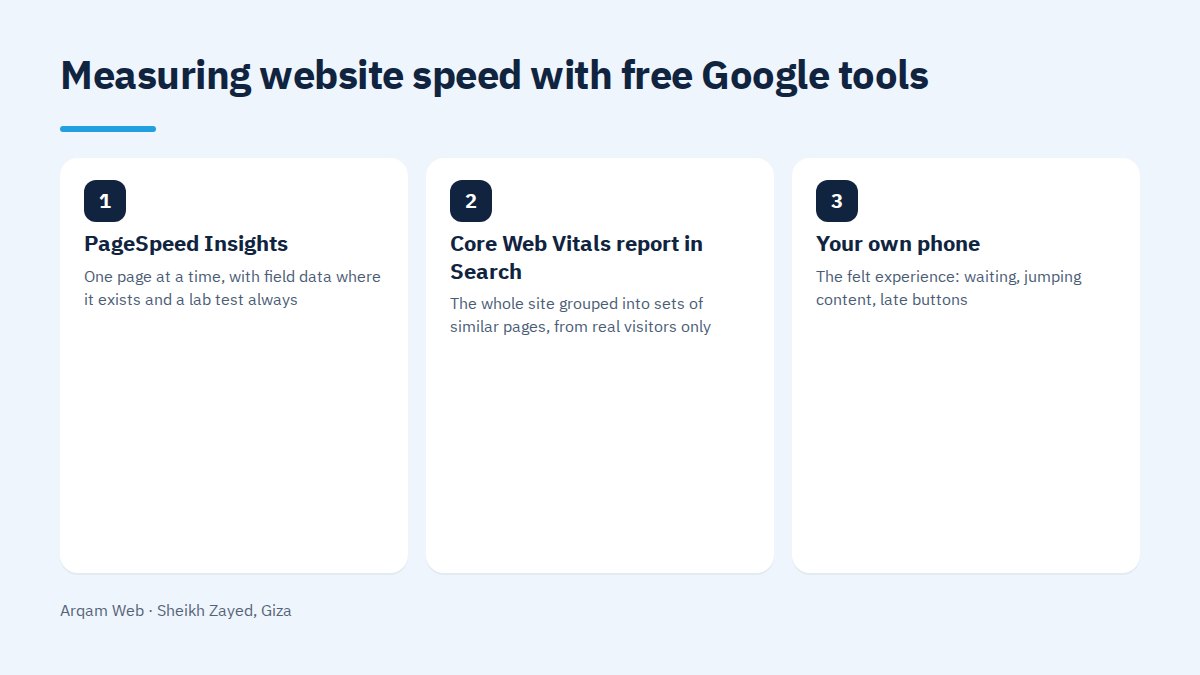
You can measure website speed yourself in about fifteen minutes with free tools: run the page through PageSpeed Insights, open the Core Web Vitals report inside Search Console, then load your own site on your phone over mobile data instead of wifi. Together those three give you enough to act on.
Which free tools do you actually need?
Three, and each answers a different question. The common mistake is picking one, reading the coloured score and deciding from that alone.
| Tool | What it gives you | When to use it |
|---|---|---|
| PageSpeed Insights | One page at a time, with field data where it exists and a lab test always | Checking one page, or comparing two |
| Core Web Vitals report in Search Console | The whole site grouped into sets of similar pages, from real visitors only | Monthly tracking, and finding which group drags you down |
| Your own phone | The felt experience: waiting, jumping content, late buttons | Before any decision and after every fix |
Lab data and field data are not the same thing
One distinction clears up most of the confusion. Lab data comes from a single load on a simulated device and throttled connection, the moment you press the button. Field data comes from real Chrome visits over past weeks, on your audience’s own phones.
- Lab data repeats. Conditions are steady, so it is the honest way to compare before and after a fix.
- Field data judges. It is what Google uses to assess the experience, and it reflects your real audience.
- Field data lags. It needs weeks to catch up with a change you shipped today.
- Field data can be missing on a new site or a quiet page, and then the lab test and your own phone are all you have.
When you measure website speed for the first time, read both. A green lab score beside amber field data means your visitors have a worse time than your test did.
What are you measuring? Three numbers, no more
The score at the top is a summary, not the target. Three numbers carry the verdict.
| Number | What it means in plain words | Good threshold |
|---|---|---|
| LCP | When the largest visible element appears, usually the hero image | Up to 2.5 seconds |
| INP | How long the page takes to respond when someone taps or types | Up to 200 milliseconds |
| CLS | How much content shifts while loading, so people mistap | Up to 0.1 |
Thresholds are read at the worse end of your visitor distribution, not the average, because a comfortable average can hide a quarter of your audience suffering.
How to measure website speed step by step
The sequence below takes under fifteen minutes:
- Pick the pages that matter. The home page, your main service or product page, one article, and the cart or contact page. Measuring the home page alone hides the pages that sell.
- Run each one through PageSpeed Insights and keep a dated screenshot. Without a record you will not know in three months whether anything improved.
- Read the mobile tab first. Most of your visitors are on phones, and the desktop number is always prettier and less relevant.
- Open the Core Web Vitals report in Search Console and see how many URLs sit in each band, and which page group repeats the same failure.
- Test by hand on your phone over mobile data, once with an empty cache and once after.
- Write the results into one table with page, date and the three numbers. Every later decision rests on it.
How do you read the report without getting lost?
Much of the report is written for developers. Four places matter when you measure website speed as an owner, not an engineer:
- The top block: field data from real visitors. If it reports insufficient data, the page has too little traffic.
- The LCP element: the report names it, usually one image, and compressing it solves half the problem.
- The opportunities list: ordered by the time each fix saves. Start at the top, not at the easiest item.
- The diagnostics section: JavaScript weight and server response time sit here, and together they say whether the build or the hosting is at fault.
Do not try to clear every line. Most are worth fractions of a second, and one or two hold the real problem.
When is the number misleading?
Results mislead in known situations, and knowing them saves money on the wrong fix.
- Testing once. The lab result moves between runs, so take the middle of three.
- Testing from a network unlike your audience. The tool may run from outside your country while your visitors sit on Egyptian or Gulf networks.
- Testing a page behind a login. The tool measures the login screen instead.
- A high score that still feels slow. Usually a heavy transition or a late font.
- A low score caused by one tracker. A single third party script pulls the number down while visitors notice almost nothing.
The manual phone test most owners skip
Open your site on your phone, on mobile data, with a clock in front of you. Watch when text appears, when a button stops moving under your thumb, and when the page settles.
That test catches what no tool reports: a chat widget covering the button, a popup before the content, a menu that needs two seconds. Visitors feel the delay and leave.
What do you do after you measure website speed?
Measurement without a decision is wasted time. Sort what you found into three buckets: quick fixes you can do yourself, work that needs a developer, and structural problems in the hosting or the build.
Compressing images, setting their dimensions and deleting an unused plugin belong in the first bucket. Rebuilding a heavy theme or moving hosts belongs in the third. Read website components to see which parts add the weight, the web design and development page for what we handle here, and the pricing page for how we work.
After each fix, measure website speed again in the lab straight away, then give field data a few weeks before judging it.
Frequently asked questions
Do you need a paid tool to measure website speed?
No. PageSpeed Insights and the Core Web Vitals report in Search Console are free and enough to know where you stand and what to do next. Paid tools help once you track many pages weekly and want stored history and alerts, which is a later need.
How often should you measure website speed?
Monthly for your important pages, and after every significant change: a new theme, a new plugin, a landing page behind paid traffic, a host migration. Pages you pay to send visitors to deserve closer attention, because slow seconds there cost money directly.
Why does PageSpeed give a different score each run?
Because the lab test uses a simulated device and a throttled network, and load on the service varies minute to minute. A five or ten point swing is normal. Run it three times, take the middle result, and never decide from one reading.
What does insufficient data mean in the report?
It means Chrome has not recorded enough visits to that page to show real field data. It says nothing about whether the page is fast or slow. Rely on the lab result and on your own test on a phone over mobile data instead.
Is a score of 100 necessary?
No. The score is an indicator, and the target is having the three numbers inside the good range. Chasing the final five points eats time and budget for no clear return, while compressing one heavy image can move a page from red to green.
Have us measure website speed for you
Send your site address and you will get the three numbers on your main pages, with an ordered list of what to fix first, no obligation.
Request a quote · Message us on WhatsApp · Call us
Arqam Web
44 Central Axis, Al Saraya Mall, Lower Ground, Entrance 2, Sheikh Zayed, Giza, Egypt
Phone and WhatsApp: +20 111 872 1404 · Email: info@arqamweb.com
Google’s tool sits at the PageSpeed Insights page.