

The keywords bringing you traffic are listed in the performance report inside Search Console, not in a keyword guessing tool. Open the report, sort the queries by clicks rather than impressions, and you have the real list. A click means a searcher chose your page after seeing it. An impression without one means the opposite.
Impressions or clicks: which number should you trust?
An impression means your link sat on a results page somebody looked at. A click means they read your title and description and came in. The gap between those two numbers is the most useful thing in the report.
A page with high impressions and few clicks has a title or an intent problem, not a ranking problem. So do not start from the most seen queries. Sort by the clicks column: the keywords bringing you traffic sit at the top of that sort, not of the impressions one.
Where do you find the keywords bringing you traffic?
The free and accurate source is the performance report in Search Console. Its queries tab shows what the searcher typed before reaching you, and the data goes back sixteen months per Google’s documentation for the report.
Paid keyword tools tell you what a market searches for. This report tells you what reached your site out of it, which is a different question. Google Analytics does not show the query at all; it shows the landing page and what the visitor did next. One gives you the words, the other the behaviour, and the decision needs both.
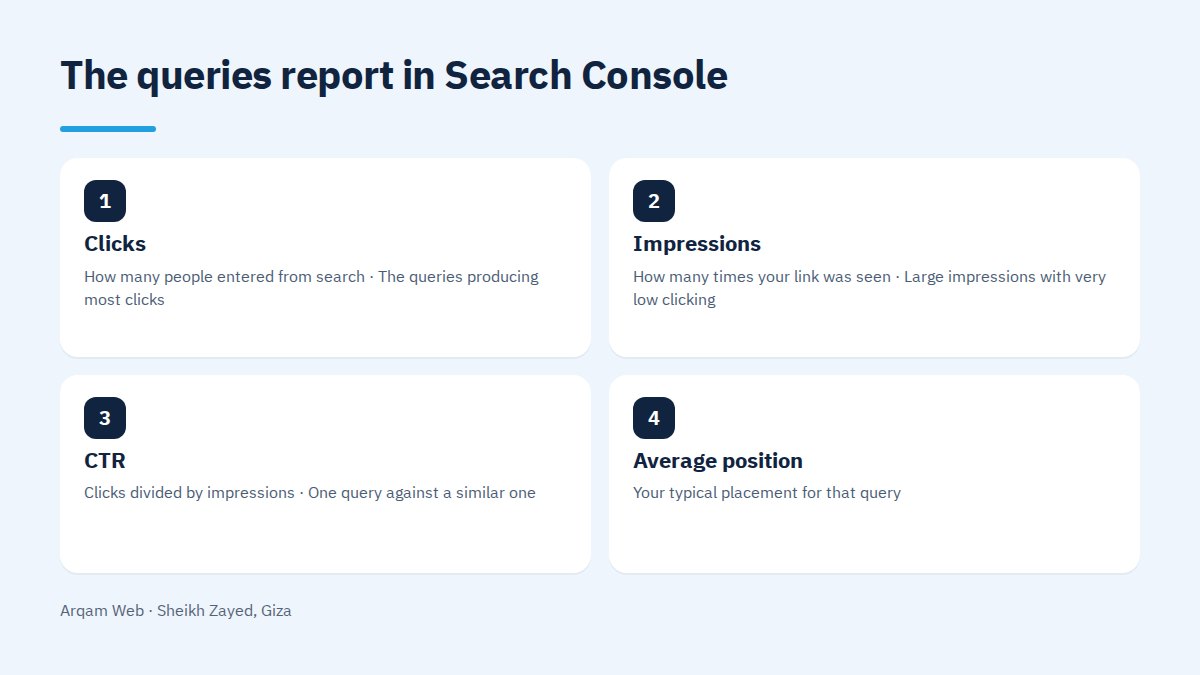
The four columns and what each one means
| Column | What it measures | What deserves attention | How it gets misread |
|---|---|---|---|
| Clicks | How many people entered from search | The queries producing most clicks | Ignored in favour of impressions, the bigger number |
| Impressions | How many times your link was seen | Large impressions with very low clicking | Read as if it were visits |
| CTR | Clicks divided by impressions | One query against a similar one | A top of page rate compared with a page three rate |
| Average position | Your typical placement for that query | Placements near the bottom of page one | Treated as fixed across devices and countries |
Average position is an average, so one figure can hide strong visibility in one country and weak in another. Apply the country and device filters before deciding from the combined number.
How do you separate brand searches from everything else?
Somebody searching your company name had decided to deal with you before opening Google. Mixing those queries with the rest makes performance look better than it is. Splitting them takes two minutes:
- Filter the queries to exclude your company name and any common misspelling of it.
- Repeat the filter for the Arabic and the English spelling, since search treats them as two separate queries.
- Record both click totals and track them as two lines, watching the second one.
- Treat that second line as the evidence that your site reaches people who did not know you.
After that split, the list of keywords bringing you traffic sits in front of you with no flattery in it.
Which queries deserve work this month?
The full list confuses more than it helps, and the keywords bringing you traffic today are not necessarily the ones worth your effort tomorrow. A practical order for choosing:
- Queries already clicking from near the top of page one. A small on page fix pays quickly here.
- Queries with heavy impressions and weak clicking. The title and description are usually at fault, and rewriting them costs less than a new page.
- Queries at the bottom of page one or the top of page two. That band returns more than any other for the same effort.
- Queries carrying clear buying intent, the ones with price, company or quote in them, however small the numbers.
- Queries with no page of their own. If the visitor landed on a general page, a dedicated one is the next move.
Pick five, act, then measure six weeks later. Search does not answer inside a week.
Why does an unexpected page rank for one of your keywords?
Open a query, look at the pages that appeared for it, and you sometimes find one you never wrote for that purpose. The usual cause is two pages covering the same ground, so search splits the visibility and neither gets strong.
The fix is either merging them into one stronger page with a redirect from the old address, or pulling the topics apart so each page answers a different question. Read website components and your website goal before adding another page to a crowded topic.
What about the keywords bringing you traffic but no enquiries?
Not every visit is useful. A query sending plenty of visitors and not one message deserves two questions: is the searcher after information rather than a service, and does the page they reached offer a clear next step.
If the intent is informational, the page is doing its job and a quiet pointer to the service is enough. If it is commercial and enquiries are still zero, the page itself is the problem: a long form, no WhatsApp number, an offer nobody can parse. Read how to benefit from your site to set the next step for each visitor.
Mistakes people make reading the keywords bringing you traffic
The most common one is comparing month with month and forgetting the season. Demand in many businesses drops during Ramadan and through the summer, so August against July tells you about the calendar rather than your site. Compare with the same month last year once you have the data.
The second is deleting a page because its query numbers look thin, when that page may be the reason a visitor reached a different one. The third is rewriting titles every fortnight, which leaves you unable to tell which edit worked. The web design and development page covers what we handle here.
Frequently asked questions
Do I need a paid tool to see the keywords bringing you traffic?
No. The performance report in Search Console gives you the real queries that reached your site at no cost. Paid tools help with search volume estimates and competitor study, but those are estimates, while the free report is measured data about your own site.
What does high impressions with almost no clicks mean?
It means Google shows your page and the searcher picks something else. Three causes are usual: a title that does not match what they typed, a placement far down the page, or a query whose answer already sits in the results, so nobody clicks through.
Why do clicks differ from the sessions in my analytics report?
Because the two tools count different events. A click is counted in the search results; a session is counted after the page loads and the measurement code runs. A visitor who leaves before the load finishes, or refuses cookies, creates a normal gap between the figures.
How many queries should I track each month?
Five to ten is enough for an average company site. What you want is a short list of the keywords bringing you traffic, opened every month, with the story of each line known to you. A sheet of a hundred queries gets read by nobody and decides nothing.
When do I decide a query is not worth pursuing?
After one real change to the page and at least three months with no movement in placement or in clicking, once you are sure the query belongs to your business. Keep the change single and clear, so you know it was that change which failed.
Get a reading of your current queries
Send your site address and read access to your Search Console account, and you will get a short list of the queries bringing visits today and what each page is missing, with no obligation.
Request a quote · Message us on WhatsApp · Call us
Arqam Web
44 Central Axis, Al Saraya Mall, Lower Ground, Entrance 2, Sheikh Zayed, Giza, Egypt
Phone and WhatsApp: +20 111 872 1404 · Email: info@arqamweb.com